Mastering Redux Toolkit: State Management in React
What is Redux and Why Redux Toolkit?

Redux is a predictable state container for JavaScript apps, but traditional Redux requires verbose code. Redux Toolkit simplifies Redux development by offering:
- configureStore: Simplifies store setup.
- createSlice: Combines actions and reducers efficiently.
- createAsyncThunk: Handles asynchronous operations with minimal boilerplate.
Step 1: Installing Redux Toolkit
Install Redux Toolkit and React-Redux:
npm install @reduxjs/toolkit react-reduxStep 2: Setting Up Redux Store with configureStore

Create a Redux store:
import { configureStore } from '@reduxjs/toolkit';
import counterReducer from './counterSlice';

export const store = configureStore({
  reducer: {
    counter: counterReducer,
  },
});
Wrap your app with <Provider>:
import { Provider } from 'react-redux';
import { store } from './store';


  <App />
Step 3: Creating Slices with createSlice

Define state, reducers, and actions together:
import { createSlice } from '@reduxjs/toolkit';

const initialState = { value: 0 };

export const counterSlice = createSlice({
  name: 'counter',
  initialState,
  reducers: {
    increment: state => { state.value += 1 },
    decrement: state => { state.value -= 1 },
    reset: state => { state.value = 0 }
  },
});

export const { increment, decrement, reset } = counterSlice.actions;
export default counterSlice.reducer;
Step 4: Handling Asynchronous Actions with createAsyncThunk
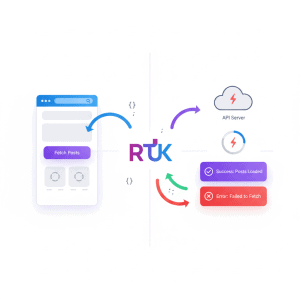
Handle API calls or other async logic:
import { createAsyncThunk } from '@reduxjs/toolkit';

export const fetchData = createAsyncThunk(
  'data/fetch',
  async (id, thunkAPI) => {
    const response = await fetch(`https://api.example.com/data/${id}`);
    return response.json();
  }
);
Use extraReducers to manage pending, fulfilled, and rejected states.
Step 5: Best Practices for Redux Toolkit
- Keep state minimal and normalized.
- Use
createSliceto reduce boilerplate. - Handle async logic with
createAsyncThunk. - Leverage Redux DevTools for debugging.
- Organize slices and store structure clearly for scalability.
FAQs: Redux Toolkit Tutorial
1. What is Redux Toolkit?
Redux Toolkit is the official, recommended way to write Redux logic, simplifying state management and reducing boilerplate.
2. Why should I use createSlice?
createSlice automatically generates actions and reducers, making Redux code cleaner and easier to maintain.
3. How does createAsyncThunk work?
It allows handling asynchronous actions like API calls while automatically managing pending, fulfilled, and rejected states.
4. Can Redux Toolkit be used with TypeScript?
Yes, Redux Toolkit has built-in TypeScript support, enabling type-safe state and actions.
Internal & External Resources
- React Tutorial for Beginners – Learn React basics.
- Next.js Tutorial – Integrate Redux Toolkit in SSR apps.
- Official Redux Toolkit Documentation
Follow this Redux Toolkit tutorial to manage global state efficiently in React applications, reduce boilerplate, and build scalable apps. Start using Redux Toolkit today!