React.js is one of the most in-demand JavaScript libraries for building modern web apps. But as a beginner, you might be wondering:
-
Where do I start with React?
-
Which tools and setup should I use?
-
What are the best practices for naming files and writing code?
In this post, we’ll answer all those questions with practical tips, including:
-
✅ React.js basic intro
-
✅ VS Code extensions for React
-
✅ Node.js setup & usage in React
-
✅ Naming conventions in real-world projects
-
✅ Beginner-friendly resources
⚛️ What is React.js & Why is it So Popular?
React.js is an open-source JavaScript library built by Facebook. It helps developers build fast, reusable, and scalable user interfaces — especially SPAs (Single Page Applications).
Why React is loved:
-
Component-based architecture
-
Fast rendering using Virtual DOM
-
Huge ecosystem (Next.js, Redux, React Native)
🌍 Discover Best Resources to Learn React.js for Free
Most tutorials only cover the “what,” not the “how.” Here are free and highly recommended resources:
| Platform | Type | What’s Good |
|---|---|---|
| React.dev | Docs | Official, updated |
| Scrimba React Course | Interactive | Great for hands-on |
| freeCodeCamp | Course | Covers the full stack |
| The Net Ninja YouTube | Video | Easy to follow |
| MDN React Guide | Docs | Great explanations |
💻 Best Code Editor Setup for React (VS Code)
To be efficient, use Visual Studio Code — the most loved editor by React devs. Here are must-have VS Code extensions for React development:
-
ESLint – Detects errors and enforces rules
-
Prettier – Formats your code automatically
-
Auto Rename Tag – Renames closing tags as you type
-
React Developer Tools – Debug React apps easily
-
JSX Snippets – Faster React component writing
🟢 Why You Need Node.js to Work with React
Even though React runs in the browser, Node.js plays a crucial role in:
-
Running local development server (
npm run dev) -
Installing React via
npx create-react-app -
Using modern tools like Vite, Webpack, Babel
-
Backend integration (if using Node + Express)
📥 Download Node.js from: https://nodejs.org
🔠 Naming Conventions for Clean React Code
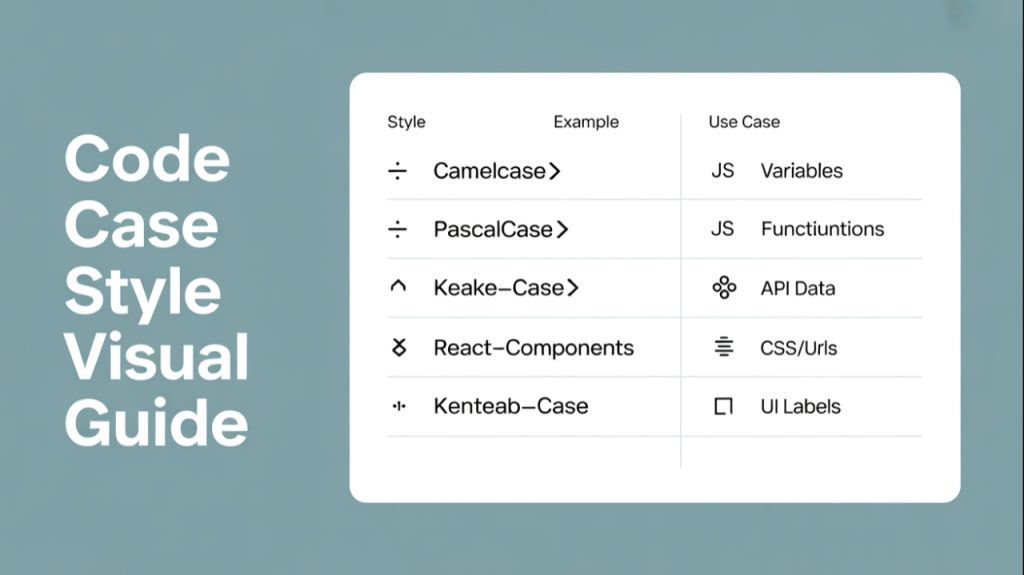
Clear naming makes code readable and bug-free. Here’s a breakdown of the 4 major naming styles in React development:
| Convention | Example | Use in React |
|---|---|---|
camelCase |
userName, handleClick |
Variables, Functions |
PascalCase |
UserCard, LoginForm |
React Components |
snake_case |
user_name, email_id |
API or JSON keys |
kebab-case |
user-profile, login-form |
URLs, CSS class names |
Sentence case |
“Sign in to continue” | UI Labels, Buttons |
✅ React Tip:
-
Always use PascalCase for components:
MyComponent -
Use camelCase for functions and props:
handleLogin(),userName -
Use kebab-case in CSS class names or file paths
🏁 Final Thoughts
Learning React isn’t just about understanding JSX — it’s about choosing the right tools, using clean naming conventions, and writing scalable code.
🔥 Want to become a full-stack developer? Learn:
-
Frontend: React, Tailwind, TypeScript
-
Backend: Node.js, Express, MongoDB
-
Authentication: JWT, OAuth
-
Deployment: Vercel, Netlify, Render